Search topics
QR codes with no link to the page they open
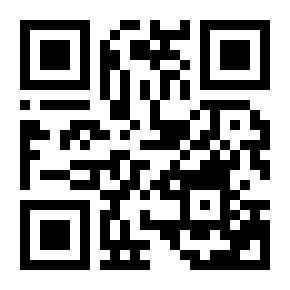
An app offer's only way on is a QR code with alt="QR code", shown even on the phone that would have to scan it.
<img src="qr-app.svg" alt="QR code"> The problem
Screen reader users, and anyone on a phone, can't reach the page a QR code holds
A pottery shop confirms an order: "Thank you. Order 1042 is confirmed." Under it, a block offers the shop's app: track your orders and get 10% off your first order in the app. The way to the app is a QR code, with "Scan the code with your phone's camera" above it. On a computer, that works for someone who can see it: they hold up their phone and the app page opens there. Many people who place the order are on their phone already, and the same block is shown there, so the code is on the screen of the camera that is meant to scan it. Tapping it does nothing. A screen reader user, on either device, swipes to it and hears "QR code, image", and nothing about where it goes.
A QR code is a picture of an address. Success criterion 1.1.1 Non-text Content asks that every image that carries information has a text alternative that gives the same information. Here the information is the address, or at least where it leads, and the alt says only "QR code": the listener learns that a code is there and nothing that it holds. The browser doesn't pass on what a code holds: to the page the code is an image like any other, and its alt is all a screen reader can say about it.
Nothing on the page links to the address either, so the code is the only way there. That is what turns a weak alt into a dead end: with a link beside the code, the address would have a text equivalent even with an empty alt on the image. No success criterion asks for a link a sighted person on a phone can tap, but the same link that fixes 1.1.1 fixes that too.
On a phone the failure reaches nearly everyone, not only people with disabilities: the code is on the screen of the only camera most people have with them.
4 of 10 groups affected
- No vision (affected)
- Low vision (affected)
- Colour vision (not affected)
- No hearing (not affected)
- Hard of hearing (not affected)
- No speech (not affected)
- Motor (affected)
- Reach, strength (affected)
- Cognitive (not affected)
- Seizures (not affected)
- Without vision A screen reader says "QR code, image" and nothing about where the code goes, and a blind person can't aim a camera at a code they can't find, least of all at their own phone's screen.
- Limited reach and strength Holding one device steady over another is hard with a tremor or a weak grip, and can't be done at all with a phone fixed to a wheelchair mount.
- Limited manipulation On a computer, keyboard and voice control users have nothing to press: the code is a picture, not a link.
- Limited vision People who magnify the screen may not recognise the square as a code, and aiming a camera at a small code on another screen is hard without seeing it clearly.
axe's image-alt checks that an image has an alt. It passes alt="QR code", and it passes alt="Scan me!", which qrcodejs, a widely copied script for drawing codes in the browser, puts on the image it draws. A code drawn on a canvas has no alt to check at all. axe doesn't decode the image to see what address it holds, or look for a link to that address.
The audit looks for codes by their alt, their file name, their class or their id. It reports a code whose alt says no more than "QR code" or "Scan me!", that is not inside a link and that has no link shown in its block. Every other code it finds goes to review, to check that the link beside it, or around it, opens the same page as the code. It can't tell a code from another square image when nothing names it, and it can't decode one.
A quick AI fix rewrites the alt as "QR code to download our app". The listener now knows what the code is for, and still has no way to get there.
Try it
On this phone, open the page that gets you the app
The page is on the phone you would scan the code with. Tap the code, then read what a screen reader says on it.
Broken Can you fix this?
Thank you. Order 1042 is confirmed.
Our app
Track your orders and get 10% off your first order in the app.
Scan the code with your phone's camera.
Nothing tapped yet.
Swiping through the page, a screen reader says:
- Thank you. Order 1042 is confirmed.
- Our app, heading level 3
- Track your orders and get 10% off your first order in the app.
- Scan the code with your phone's camera.
- QR code, image
The fix
Put a link to the same page beside every QR code
<section class="get-app"> <h2>Our app</h2> <p>Track your orders and get 10% off your first order in the app.</p> <p>Scan the code with your phone's camera.</p> <img src="/images/qr-app.svg" alt="QR code" width="96" height="96"></section>What is wrong3 points
- The alt says only "QR code", so the address the code holds has no text equivalent.
- Nothing on the page links to that address: the code is the only way there.
- The same block shows on a phone, where the code is on the screen of the camera that would scan it.
A link beside the code
<section class="get-app"> <h2>Our app</h2> <p>Track your orders and get 10% off your first order in the app.</p> <a class="button" href="https://example.com/app">Get the app</a> <p> <img src="/images/qr-app.svg" alt="" width="56" height="56"> On a computer? Scan the code with your phone's camera. </p></section>How it is fixed3 steps
- Add a link to the address the code holds, with words that say what it opens. On a phone it is what people tap; on a computer it opens the page there, and keyboard, voice control and screen reader users can follow it.
- Give the code
alt="". The link already says where it goes, so a screen reader doesn't read the same thing twice. - Keep the code, and its instruction, for people on a computer who want the page on their phone, and say that is what it is for.
This fixes the Before and passes 1.1.1: the address has a text equivalent in the link, and anyone on any device can follow it.
Use the link beside the code. Wrapping the code in a link passes 1.1.1 and is the smaller change, but it leaves sighted phone users with a code they are told to scan and no sign they can tap it, which is the people this block is shown to most. The link beside the code serves everyone with one more link in the markup, and the code goes on working for people on a computer.
The link and the code must open the same page. Make both from one value in the template, rather than pasting an address beside an image someone exported from a generator months ago. A code from a generator service often holds a short redirect of its own, for counting scans; give the link the same address, or one that ends on the same page, and count the two with different parameters if the numbers matter.
Some codes are made by a service, not by the site, and these come with a link from the same service. A messaging app's add-friend code comes with an add-friend address and button, and a payment provider's code with a payment link. Put that link, or that button, beside the code.
Sources differ on what a code's alt should say, and this guide doesn't choose between them.
- The W3C's tutorial on images that are links gives a linked image an alt that says what the link does, such as "Get the app", and its tutorial on decorative images gives
alt=""to an image whose text beside it already says the same. - The DAISY Knowledge Base asks for an alt that makes clear the image is a QR code, with a link to the same place beside it.
- Section508.gov gives an example alt that says both: "QR code linking to the product accessibility page".
Each passes 1.1.1 as long as it says where the code goes; "QR code" alone does not.
Codes drawn in the browser need the alt set by hand: qrcodejs writes alt="Scan me!" on the image it makes, and a code drawn on a canvas has no text at all. When the link beside the code says where it goes, hide the drawn code with alt="" on the image, or aria-hidden="true" on the canvas. When the code is itself the link, give the link an aria-label that says where it goes.
Hiding the code on narrow screens is fine once the link is there. Hide the code, never the link, and decide by width rather than by guessing the device from its user agent: a tablet or a laptop with a touchscreen can go either way.
A code meant to be scanned by someone else's device is a different case. A ticket, a boarding pass or a pickup code on a phone is shown to a reader at a gate or a till, not opened by the person holding it. Its alt says what it is, such as "Ticket code for order 1042", and the number it holds is printed beside it as text, so staff can type it in when the scanner fails. Sign-in and two-factor set-up codes, which pair a second device, are the same failure as this one: offer a link that opens the authenticator app, and the set-up key as text that can be copied.
Verify the fix
4 checks, no mouse.
Test with: Screen reader, Touch, Keyboard
Record the OS, browser and assistive-technology versions, the build, the date, and the actual result of each step. Repeat whenever a campaign, an app store address or a code generator changes.
Limits
This is a starting pattern, not a guarantee for every application. The address in the snippets is a placeholder. This guide covers a QR code standing in for a link on a web page; for images that carry information in general, see missing alt text on images that carry information, and for words drawn into a picture beside the code, images of text instead of real HTML text. Codes printed on paper, packaging or signs need a printed address beside them for the same reasons, but are outside what a web page can fix. Test the complete journey with your target assistive technology.
This is a recreated teaching example, not a finding about a named client. The code is a starting pattern: test it in your own product. No completed assistive-technology test is claimed here.
EaseWeb service
Fixed it? Keep it from coming back.
I turn guides like this one into rules your coding agents follow and checks your CI runs. Then I retest by hand with a keyboard and screen readers, periodically.