Search topics
Buttons inside card links that also open the page
A product card is one link with its wishlist heart inside, so the link's name includes the button's words, and pressing the heart opens the product page too.
<a href="/mugs/speckled"> … <button aria-label="Add to wishlist"> The problem
Screen reader users hear a card link whose name also claims the wishlist, and anyone who presses the heart is taken to the product page as well.
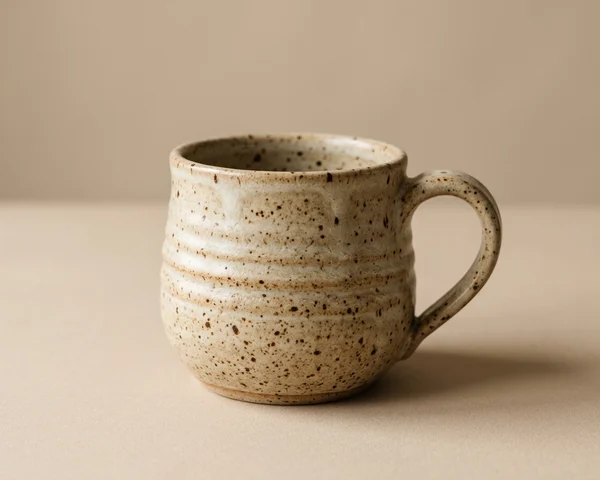
A shop lists its mugs as a grid of cards: a photo, a name and a price. The whole card opens the product page, which makes a large, easy target, so the developer wrapped each card in one link. In the corner of the photo sits a heart, Add to wishlist, and it went inside the link with everything else.
A shopper presses the heart on the speckled mug. It fills, and then the product page opens. The press on the heart is also a press inside the link, and the browser follows the link once the heart has done its job: in the engines of Chrome, Firefox and Safari alike, whether the heart was clicked, tapped, or pressed with Enter or Space. To save a second mug, the shopper goes back to the list and finds their place again.
A screen reader user meets the card one stop at a time. The first stop is the link, and its name, as Chrome works it out, is "Speckled mug $24 Add to wishlist": the link claims the wishlist too. The next stop is the heart, a button of its own, inside the same link. Nothing they hear says which of the two a press will set off, and pressing the heart sets off both.
Success Criterion 4.1.2 Name, Role, Value asks that the name and role of every control can be determined by code, so that assistive technology can tell people what each control is and what it does. Here the two controls are tangled. A link takes its name from everything inside it, so the heart's "Add to wishlist" becomes part of the link's name, and the link is announced as doing something it doesn't. The button is announced inside a link, so its role no longer settles what a press does, and in all three browser engines the press does what both of them do.
HTML doesn't allow this. An a element may not contain interactive content, such as a button, another link or a form field, and a button may not contain any either. The browser builds the page anyway, because HTML parsers repair what they can and leave the rest, but HTML gives a control inside a control no meaning. Browsers today behave alike, as described above, while what a screen reader makes of it is up to each screen reader. WCAG 2.2 removed 4.1.1 Parsing, which used to catch markup like this, and W3C's note on the removal says that many of the issues it caught now fail Info and Relationships or Name, Role, Value instead. A button inside a link is one of them, because of what it does to the names and roles above.
The card works with a mouse in the sense that both things happen, so a quick test can pass it as working. The trouble shows on any phone or touch screen, where every tap on the heart leaves the list, and in a long list, where going back means scrolling down to the same place again.
3 of 10 groups affected
- No vision (affected)
- Low vision (not affected)
- Colour vision (not affected)
- No hearing (not affected)
- Hard of hearing (not affected)
- No speech (not affected)
- Motor (affected)
- Reach, strength (not affected)
- Cognitive (affected)
- Seizures (not affected)
- Without vision The card's link is named "Speckled mug $24 Add to wishlist", so a screen reader gives a link that also claims the wishlist, followed by the heart as a button inside it. Pressing the heart saves the mug and then leaves the list.
- Limited manipulation A keyboard or switch user who presses Enter or Space on the heart lands on the product page, and has to go back and work through the list again to save the next mug.
- Limited language, cognitive and learning abilities Someone who taps the heart to keep a mug for later is taken to a page they didn't ask for, and has to work out whether the mug was saved before finding their way back.
axe's rule nested-interactive looks for focusable content inside controls whose children are read as part of them, such as a button. A link inside a button is reported. A button inside a link is not, because ARIA keeps a link's children as separate items, so the card in this guide passes axe. EaseWeb's audit lists the buttons, links and fields it finds inside links as a lead for a person to press. A code assistant asked to stop the heart opening the page may add preventDefault() and stopPropagation() to the heart's handler, as in the patch below: the page no longer opens, and the button stays inside the link.
Try it
Save the Speckled mug with its heart, first with the mouse, then with Tab and Enter.
Does the list stay where it is, or does the mug’s page open? The browser’s Back arrow returns to the list.
Broken Can you fix this?
The fix
Put the heart beside the card's link, not inside it.
<ul class="cards"> <li class="card"> <a href="/mugs/speckled" class="card-link"> <img src="speckled-mug.webp" alt=""> <h3>Speckled mug</h3> <p class="price">$24</p> <button type="button" class="wish" aria-label="Add to wishlist" aria-pressed="false"> <svg aria-hidden="true">…</svg> </button> </a> </li> …</ul>What is wrong3 points
- The heart's words are part of the link's name, so the link is read as "Speckled mug $24 Add to wishlist".
- Pressing the heart, with a mouse, a finger, Enter or Space, saves the mug and then opens the product page.
- A screen reader is told about a button inside a link, which HTML doesn't allow, so what it says is up to each screen reader.
The heart beside the link
<ul class="cards"> <li class="card"> <a href="/mugs/speckled" class="card-link"> <img src="speckled-mug.webp" alt=""> <h3>Speckled mug</h3> <p class="price">$24</p> </a> <button type="button" class="wish" aria-label="Add to wishlist" aria-pressed="false"> <svg aria-hidden="true">…</svg> </button> </li> …</ul>How it is fixed3 steps
- Move the button out of the
aand put it after the link, inside the card. The link now holds the photo, the name and the price, and its name is "Speckled mug $24". - Move
position: relativefrom the link to the card, so the heart stays in the photo's corner. It looks exactly as it did. - Leave the button's handler as it is. Pressing the heart now presses the heart alone, and the list stays where it was.
This fixes the Before and passes 4.1.2. The heart comes after the link in the source, so Tab reaches the link first and then the heart, the same order as before.
wish.addEventListener('click', (event) => { event.preventDefault(); event.stopPropagation(); …});preventDefault() stops the browser following the link, and stopPropagation() keeps the click from reaching a router's own handler on it, so pressing the heart no longer opens the page. Everything else stays. The button is still inside the link, so the link is still named "Speckled mug $24 Add to wishlist", the markup still breaks HTML's rule, and what a screen reader makes of a button inside a link is still left to each screen reader. It hides the one symptom a sighted mouse user would notice.
Both pass. Moving the heart out of the link is the smaller change: the card keeps one link around its photo, name and price, the CSS only moves position: relative, and the text can still be selected. Its link reads everything inside it, which is fine for a name and a price, but grows long when a card also shows a rating, colours and a line of description. Choose the stretched title link for those cards, or when a card has more than one control of its own: the link's name is the product's name alone, and each control sits beside it.
The same nesting comes from components as often as from hand-written markup. A router's link component wrapped around a design system's Button puts a button inside a link: two Tab stops for one action, and a press that runs both. Render one element instead. Most libraries offer a way to do that, such as passing the link component to the button through an as, component or asChild prop, so one element carries the link's address and the button's look. A card component whose root is a link, or a button such as a clickable card area, has the same problem as soon as anything clickable goes inside it; keep that component's actions in a part of the card outside the clickable area.
The heart's aria-pressed says whether the mug is saved, and its aria-label keeps one name in both states, so a screen reader reads it as a toggle button and says whether it is pressed. For why that pattern works, and its alternatives, see toggle buttons that don't say whether they are pressed.
Each card's heart is named "Add to wishlist", the same on every card. A screen reader user meets it straight after the product's link, so its place tells them which mug it saves, but in a list of the page's buttons all the hearts read alike. Adding the product's name, such as "Add Speckled mug to wishlist", makes each one stand alone in that list.
A whole card that opens a page is a convenience, not a requirement: a link on the name alone, with the rest of the card plain, also passes and needs no positioning at all. When the whole card is a target, keep its link's focus ring around the card, as both fixes do, so a keyboard user sees what Enter will open.
Verify the fix
4 checks.
Test with: Keyboard, Screen reader, Mouse, Touch
Record the OS, browser and assistive-technology versions, the build, the date, and the actual result of each step. Repeat after the card or link component changes.
Limits
This guide covers a button placed inside a card's link. The reverse, a link inside a button, is the form axe reports, and is fixed the same way, by putting the two side by side. A link laid over a banner or card with no words of its own is a link with no name: see banner and image links with no name. Cards that each end in the same link text are covered in "Read more" links that all say the same thing, card actions that show only under the mouse in card actions that only appear on hover, and a link used to do a button's job in buttons announced as links that Space can't press. Test the complete journey with your target assistive technology.
This is a recreated teaching example, not a finding about a named client. The code is a starting pattern: test it in your own product. No completed assistive-technology test is claimed here.
EaseWeb service
Fixed it? Keep it from coming back.
I turn guides like this one into rules your coding agents follow and checks your CI runs. Then I retest by hand with a keyboard and screen readers, periodically.