Search topics
Videos without audio description of what they show
A how-to video shows its amounts as text on screen while the narrator only says “like this”, and no described version is offered.
The problem
People who can't see the video hear “weigh it out like this” and never learn the amounts.
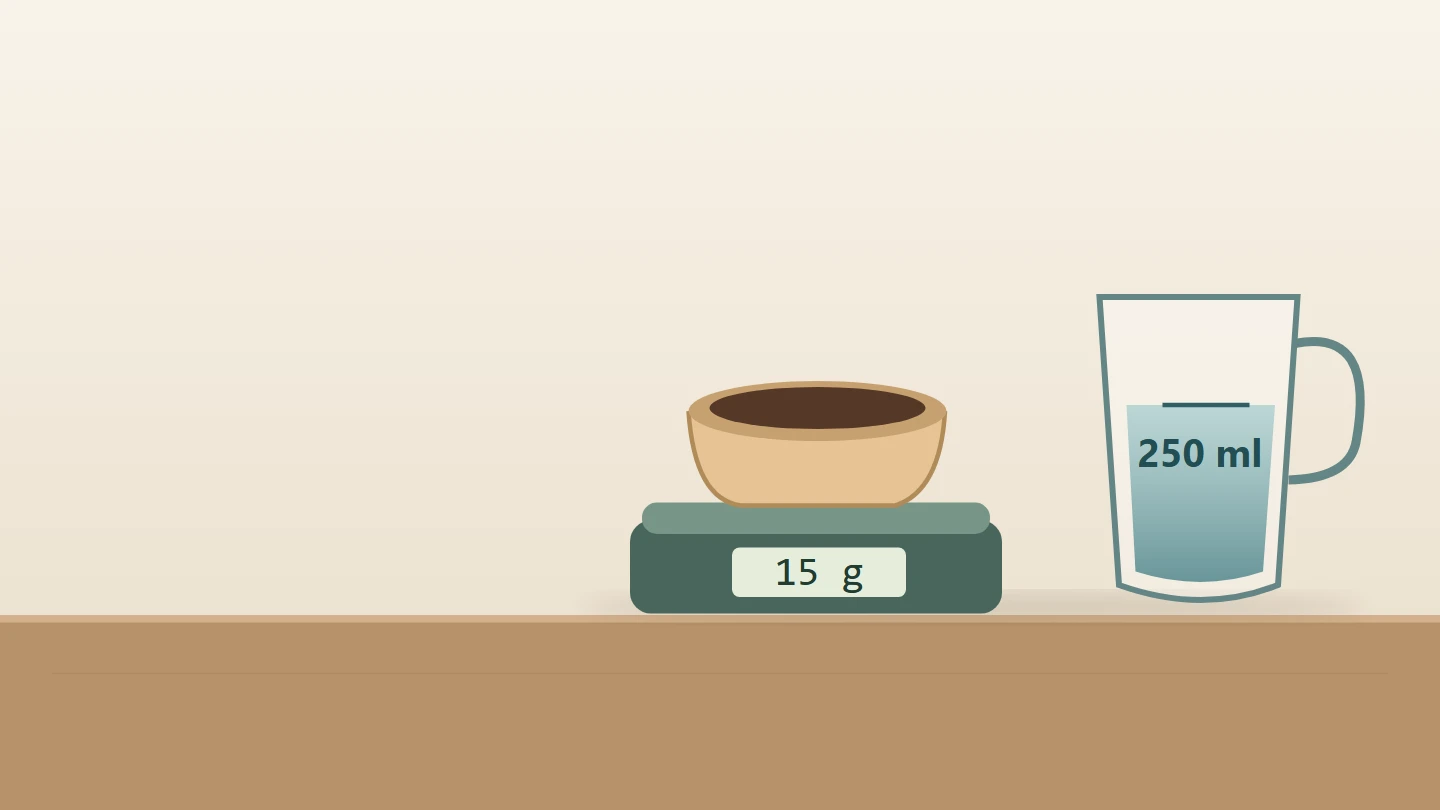
The coffee roaster's brewing video has captions now, and they are right. But the shop re-edited the video for social media: the amounts moved into text cards on the picture, and the narration became shorter. "Weigh it out like this" plays over a card that says 15 g coffee and 250 ml water. "Then let the water rest" plays over "Cool 30 s after boiling". "Pour slowly, and stop here" plays over "Pour in 3 stages, stop at 3:00", and the kitchen timer rings. Someone who listens without the picture hears a friendly voice, a timer, and no recipe.
Success criterion 1.2.3, at Level A, asks prerecorded video with sound to give people who can't see it what the picture shows: either audio description or a full text alternative. 1.2.5, at Level AA, asks for audio description itself. Audio description is narration of what matters in the picture, such as on-screen text, actions and scene changes, fitted into the pauses in the soundtrack. When the soundtrack already says everything the picture shows, nothing more is needed. Here it doesn't: every number in the recipe is only on screen. The captions don't help, because they carry what is heard, and the soundtrack never says the amounts.
Anyone who listens rather than watches meets the same gap: someone following the recipe with their eyes on the kettle, or with the video playing on a phone across the kitchen.
3 of 10 groups affected
- No vision (affected)
- Low vision (affected)
- Colour vision (not affected)
- No hearing (not affected)
- Hard of hearing (not affected)
- No speech (not affected)
- Motor (not affected)
- Reach, strength (not affected)
- Cognitive (affected)
- Seizures (not affected)
- Without vision The amounts, the cooling time and when to stop are only on screen. The narrator says “like this” and “here”, so the recipe never reaches them.
- Limited vision The cards are small on a phone and show for a few seconds each. Someone who sees part of the screen, or reads slowly with a magnifier, can miss them before they go.
- Limited language, cognitive and learning abilities Hearing a step while it is shown helps people who follow speech better than text, or who watch in a second language and can't read the card in time.
axe has no check for audio description. A scanner sees a <video> with a captions track and passes it, because it can't watch the picture or compare it with the speech. EaseWeb's audit lists every video for a person to review, and notes whether an audio description control, a descriptions track or a transcript sits beside it, but whether the soundtrack says what the picture shows is a judgement only someone who watches and listens can make. AI tools can draft descriptions from frames, but they don't know which details matter: they describe the beans and miss that the card's numbers are the recipe.
Try it
Hide the picture and play the brewing video. How much coffee does the recipe use?
The switch covers the picture, as for someone who can’t see it; the player’s controls stay. What the soundtrack says is listed under the video. Apply a fix to hear a narration that says the amounts, to turn on a described version with the button under the player, or to read a transcript that includes them.
Broken Can you fix this?
How to brew our house blend
Animated guide · waiting times are shortened.
What the soundtrack says
- Narrator: Here’s how to brew our house blend.
- Narrator: Weigh it out like this.
- Narrator: Then let the water rest.
- Narrator: Pour slowly, and stop here.
- [Kitchen timer rings]
The fix
Put everything the picture shows that matters into the soundtrack: in the narration itself, or in a described version beside the player.
- 1Everything the picture shows that matters reaches the soundtrack.
- 2Descriptions go in the pauses, never over speech.
- 3A described version is offered beside the player, by name, from the keyboard.
<h2>How to brew our house blend</h2><video controls preload="metadata" src="brew-guide.webm" poster="brew-guide.jpg"> <track kind="captions" srclang="en" label="English" src="brew-guide.en.vtt"></video>A narration that says what is shown
<video controls preload="metadata" src="brew-guide.said.webm" poster="brew-guide.jpg"> <track kind="captions" srclang="en" label="English" src="brew-guide.said.en.vtt"></video>The captions file is a faithful record of the soundtrack, and that is the problem: "like this" and "here" point at cards that only sighted viewers can read. The player offers no other version, so 15 grams, 250 millilitres, 30 seconds and three minutes never reach someone who can't see the picture.
The narrator says each amount while its card shows, so the one soundtrack carries everything the picture does, and there is nothing to switch on (integrated description, W3C technique G226). The cards can stay for viewers who glance at the screen. The captions follow the new narration, so they carry the amounts too.
The first two pass both criteria; the transcript passes Level A only. Writing the description into the narration gives one video that works for everyone, with no second file and no switch to find, and the captions come with it. It costs a new recording, and it suits how-to, product and training videos, where saying the amount aloud helps every viewer. A described version leaves the original untouched, which suits a finished film, a brand video whose script can't change, or a story a narrator would interrupt; it costs a second file and a control. Add the descriptive transcript to either, but not instead of them, on a site that aims for Level AA.
Where the video plays changes how the described version reaches viewers.
- Your own
<video>: a second file and a button, as above. A second audio track inside one file (W3C technique G78) is cleaner, but browsers don't offer a way to choose audio tracks, so it needs a player that does. - An embedded YouTube, Vimeo or Wistia player: if the platform lets you add a described audio track to the video, use it; if not, publish the described version as its own video and link to it right under the embed.
- A custom player with its own buttons: put the audio description button in the control bar beside captions, named and reachable from the keyboard.
A <track kind="descriptions"> file is not a fix on its own. Browsers load its cues but don't read them aloud, and W3C lists it only as advisory (H96). Some accessible players voice description cues with speech synthesis; it counts only when the player you ship does that, and it still has to fit the pauses.
Describe what someone needs to follow the video and can't get from the sound: on-screen text, numbers, actions, who appears, and changes of place. Use the present tense, say what is shown rather than what it means, and don't describe what the narration already says. When a pause is too short, shorten the description, rewrite the narration, or edit a longer described version; pausing the video to fit a description is extended audio description (1.2.7, AAA).
The described version needs its own captions file, with the descriptions in it as well as the narration, each marked with who is speaking: it is a different soundtrack, and its captions should carry all of it. Switch the file with the video, as the script above does. A video with no sound at all is covered by 1.2.1 instead, in podcasts and silent videos with no transcript, and a talking head whose picture adds nothing the speech doesn't say needs no description.
Fixing this with an AI coding assistant? Get this guide as Markdown
Verify the fix
4 checks, no mouse.
Test with: Screen off, Keyboard, Screen reader
Record the OS, browser and assistive-technology versions, the build, the date, and the actual result of each step. Repeat whenever the video, its narration or the described version is replaced.
Limits
This is a starting pattern, not a guarantee for every application. Whether a description is needed, and what it should say, depends on the video: this guide can't judge that for you. Captions for the speech are a separate requirement, covered in videos without captions, or with unchecked automatic ones. Test the complete journey with the people who will watch it, in the players and platforms the video really plays in.
This is a recreated teaching example, not a finding about a named client. The code is a starting pattern: test it in your own product. No completed assistive-technology test is claimed here.
References
- WCAG Understanding: audio-description-or-media-alternative-prerecorded (opens in a new tab)
- WCAG Understanding: audio-description-prerecorded (opens in a new tab)
- w3.org: description (opens in a new tab)
- w3.org: transcripts (opens in a new tab)
- WCAG Technique G226 (opens in a new tab)
- WCAG Technique G173 (opens in a new tab)
- WCAG Technique G78 (opens in a new tab)
- WCAG Technique G69 (opens in a new tab)
- WCAG Technique F113 (opens in a new tab)
- WCAG Technique H96 (opens in a new tab)
- developer.mozilla.org: track (opens in a new tab)
Keep this fixed as your code changes.
Turn guides like this into rules your coding agents and CI follow, then have the result retested with a keyboard and screen readers.